

Welcome your school group to Oahu with genuine island hospitality: instead of manually reconciling itinerary emails, build one approved movement plan that connects each stop to a dispatch instruction. For school group charter bus dispatch Oahu planning in 2026, separate the educational schedule from the transportation brief, then confirm each movement with your provider before treating it as arranged.
- For school group charter bus dispatch Oahu planning, use one approved movement plan and confirm every transportation leg.
- Luxortrans suits organizers seeking Oahu group transportation, dependable airport coordination, and attentive service from arrival to destination.
- Keep student records separate from the transportation brief; share only information needed for the journey.
- An itinerary change becomes an operating instruction only after the transportation provider acknowledges it.
Why this matters
A school itinerary describes what students will do. A dispatch brief tells the transportation provider where the group boards, who is traveling, where the vehicle goes, and which adult can authorize a change. Those documents serve different purposes.
An activity start time is not a pickup time, and a venue address is not necessarily its coach loading point. Treating them as interchangeable leaves essential decisions unresolved until departure.
Luxortrans provides Oahu group transportation with higher-end vehicles, professional chauffeurs, local island knowledge, and discreet service. The charter bus guide for school group organizers covers the service-planning context; this workflow turns your itinerary into a usable transportation brief.
Before you start
- Gather the source materials. Use the current school itinerary, venue instructions, group totals, luggage and equipment details, accessibility requirements, and relevant flight information. Confirm your school's approval and student-supervision requirements separately.
- Assign 2 contact roles. Name an adult trip lead who travels with the group and a school decision-maker who can authorize changes. Give the provider the relevant contact details, and identify who can approve transportation instructions.
- Resolve the loading-point gotcha. Ask each venue or hotel to identify the permitted coach loading location. A visitor entrance, map pin, and authorized boarding area are not interchangeable; verify the location before finalizing the brief.
This is a document-based workflow, not a software integration. The bold field names below are labels to create in your own spreadsheet or planning document, not existing booking-system controls.
Itinerary register
Build the movement list
- Create a document titled 2026 School Transportation Plan. Give it a version identifier, an owner, and a revision date so recipients can distinguish the current instructions from superseded copies.
- Create 1 row per transportation leg. Separate the airport-to-hotel movement, outbound venue journey, return journey, and any additional transfer rather than burying several movements inside one itinerary paragraph.
- Add Leg ID, Service date, Origin, Destination, Activity start, and Required arrival. State that local movements use Oahu local time; preserve the flight date shown on the airline itinerary for airport coordination.
- Add Student total, Adult total, Luggage, Equipment, and Accessibility requirements. Keep personal student records outside the shared transportation register.
Expected result: Every journey has a distinct reference, a clear purpose, and enough information for the provider to review the transportation requirement.
Do not fill uncertain cells with guesses. Use Needs confirmation and assign an owner to resolve each open item. That keeps an unverified entrance or provisional count from becoming an apparently final instruction.
For your 2026 planning file, retain the educational itinerary as a separate reference. Teachers can revise lesson details without accidentally changing the transportation plan, while transport-related changes remain visible in the movement register.
Movement brief
Convert each leg into an operating request
- Add Boarding location and Drop-off location, using the venue's instructions rather than an address alone. Include the entrance name or loading-area description supplied by the venue.
- Add Requested boarding time, Requested departure time, and Arrival requirement as separate fields. Ask the provider to review the movement against the route, access arrangements, and itinerary constraints; do not calculate a promise from a map estimate.
- Record Group total, including accompanying adults. Describe luggage, instruments, sports equipment, or mobility equipment without assuming that passenger seating alone resolves the vehicle requirement.
- Add Trip lead, Backup contact, and Boarding check. State which school adult completes the attendance check and communicates that the group is ready to depart.
Expected result: The provider receives a leg-by-leg transportation request rather than a school schedule that requires interpretation.
Use the same field order for every movement. A dispatcher should not have to search a different paragraph format to find the return pickup location or the adult responsible for boarding.
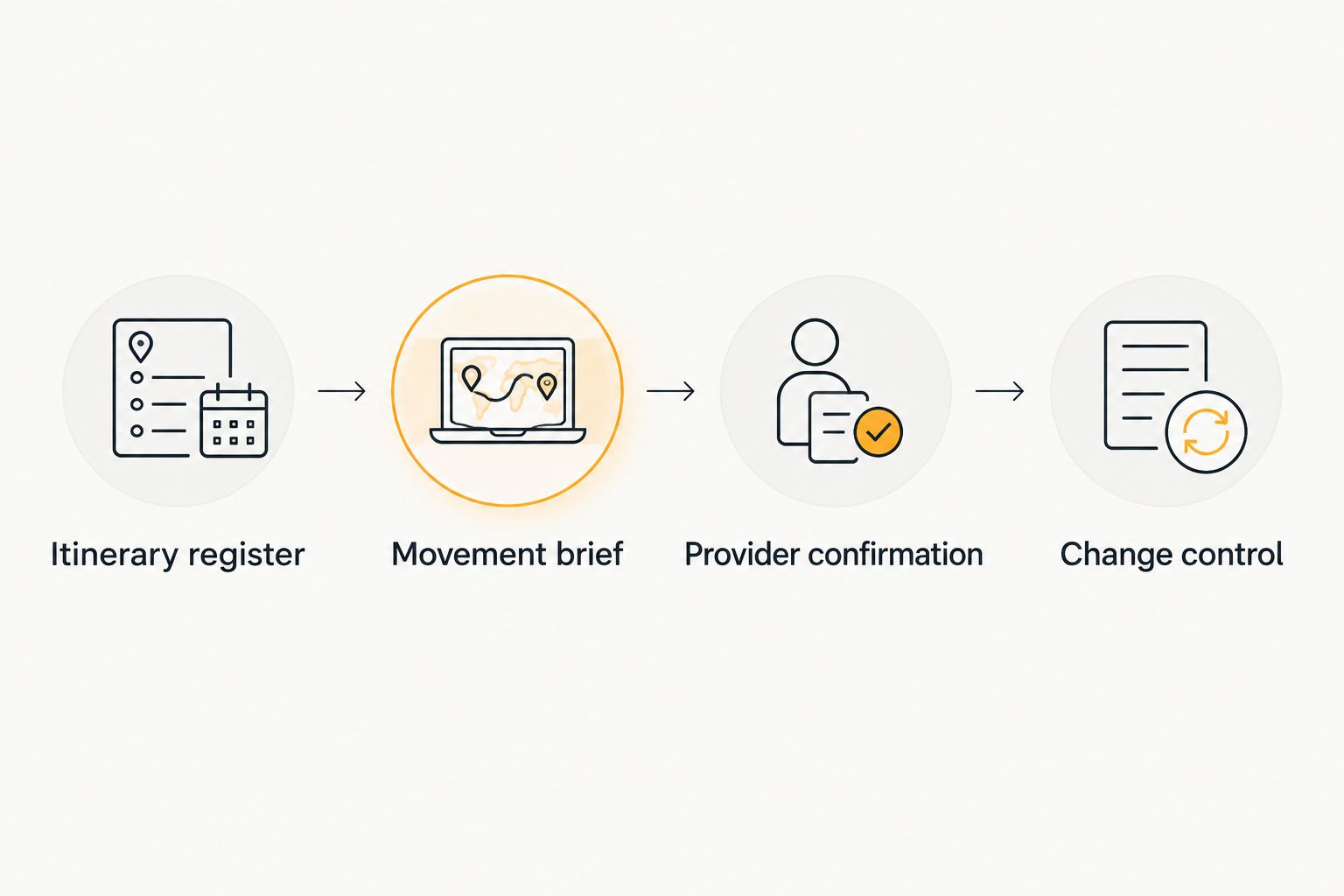
The process follows a simple sequence: Itinerary register, Movement brief, Provider confirmation, and Change control. Each stage answers a different question: what is planned, what transportation is requested, what is accepted, and what has changed.
Provider confirmation
Review the brief before issuing instructions
- Send the movement brief through the communication channel agreed with your transportation provider. Ask the provider to review the requested vehicle arrangement, passenger and baggage requirements, route, loading points, and service scope.
- Create 3 status fields: School approval, Venue access, and Provider confirmation. Record the responsible person's acknowledgment and date in each field rather than using one general checkmark for the entire trip.
- Resolve discrepancies explicitly. If the provider proposes a different loading point or departure arrangement, update the master brief and obtain school approval before distributing it as final.
- Issue the confirmed version to the adults responsible for the journey. Give students and families only the instructions they need; keep operational contacts and restricted student information in the appropriate school-controlled records.
Expected result: The school and provider refer to the same accepted movements, while unresolved items remain clearly marked.
A sent itinerary is not a confirmed transportation arrangement. Keep a request marked as pending until the provider acknowledges the relevant details.
Luxortrans transportation service, phone support, and reservations operate 24 hours a day. Those operating hours support communication, but they do not guarantee a vehicle, pickup time, or arrival time; obtain confirmation for your specific school journey.
For a 2026 trip involving several venues, ask whether the proposed arrangement covers each movement as written. Do not infer that an accepted outbound journey also includes an unlisted return or an extra stop.
Change control
Keep revisions attached to the affected leg
- Create a Change log with Leg ID, Previous instruction, Requested instruction, Requested by, and Provider acknowledgment. Keep the reason concise and operational.
- Send the change through the agreed channel to the designated provider contact. For an urgent issue, use the agreed urgent-contact procedure rather than relying only on a revised attachment.
- Keep the previous instruction identified as the last confirmed arrangement until the provider acknowledges a replacement. If the school cannot safely follow that arrangement, escalate the issue directly instead of treating silence as approval.
- Distribute the revised version to the trip lead and affected adults. Remove superseded copies from active use and repeat the leg reference when communicating the change.
Expected result: A changed school schedule does not silently become an unconfirmed dispatch instruction.
Avoid sending a complete rewritten itinerary without identifying the affected movement. A clear instruction such as a revised return boarding location is easier to review than an attachment whose differences are unexplained.
For your 2026 operating copy, keep the revision date visible in both the document and the accompanying message. Use the same reference when communicating with the venue, school, and provider.
When an activity runs late
The adjacent workflow is a live itinerary update: an activity finishes later than planned, and the school needs a revised departure instruction. Keep it distinct from the original booking process.
- Have the trip lead report the affected Leg ID, current group location, and revised readiness information.
- Ask the provider to confirm what adjustment is possible. Report facts, not an assumed replacement pickup time.
- Keep the group under the school's supervision at an agreed safe location while the transportation arrangement is clarified.
- Update the master brief only after acknowledgment, then tell chaperones which instruction replaces the previous version.
Choose the workflow that matches the situation:
| Workflow | Best for | Advantage | Limitation |
|---|---|---|---|
| Advance movement plan | Organizers preparing the complete trip | Lets the school, venues, and provider review the full journey | Needs controlled revisions when plans change |
| Live change request | Trip leads handling a changed activity | Makes the affected movement and decision explicit | Requires provider acknowledgment; it does not secure an automatic adjustment |
Use the advance plan as the source of truth and the live request as its controlled update. Neither workflow replaces attendance checks or the school's supervision procedures.
Troubleshooting
The school and provider have different pickup locations
Compare the confirmed movement brief with the venue's loading instructions. Ask the provider and venue to resolve the location, then issue one corrected description to the trip lead. Do not direct students toward an unconfirmed roadside position.
The passenger total changed after confirmation
Send the revised student and adult totals with the affected leg references. Include changes to baggage or equipment, and ask the provider to review the vehicle arrangement before accepting the revised group plan.
The flight schedule changed
Update the flight identifier, travel date, and arrival information in the relevant airport leg. Ask the provider to acknowledge the revised airport coordination; forwarding an airline notification alone does not confirm a revised ground movement.
The revised attachment went unanswered
Keep the revision marked as pending and contact the designated provider representative through the agreed channel. Identify the exact change and request acknowledgment rather than sending multiple attachments without context.
Sensitive student details appear in the dispatch brief
Remove information that is not needed to deliver transportation. Communicate necessary accessibility or boarding assistance through the school's approved process, and retain medical, permission, and emergency records under school control.
Customize your workflow
Add airport, hotel, and private-event movements to the same register when they belong to the school trip. Keep a separate leg for each journey, even when the same group and provider are involved.
Luxortrans offers one provider for Oahu airport, hotel, corporate, wedding, and private-event transportation, with strong group coordination and discreet VIP service. That breadth supports a coordinated request; the school still needs confirmation that its particular route, vehicle requirements, and service scope are accepted.
Best for organizers coordinating several trip components: build the full movement list before requesting transportation. The advantage is a consistent brief across the journey; the limitation is that a broad service offering does not establish school-policy compliance or confirm a particular vehicle arrangement.
Request a quote for seamless Oahu transportation. Submit the movement brief with your group totals, dates, loading locations, and assistance requirements so the discussion starts with the actual journey.
Plan your school group's transportation
Share your itinerary, group totals, and loading requirements for a tailored transportation discussion.
FAQ
How do I turn a school itinerary into an Oahu charter bus dispatch plan?
Create a separate movement brief with one row per transportation leg, then obtain provider confirmation. Include group totals, loading points, requested times, adult contacts, and a record of approved changes.
What should I send when requesting school group transportation?
Send the service dates, origins, destinations, student and adult totals, luggage details, and relevant assistance requirements. Include venue loading instructions and flight information where applicable, without attaching unnecessary student records.
Does a venue address give the chauffeur enough pickup information?
A venue address does not establish the permitted coach loading location. Confirm the entrance or loading area with the venue and have the transportation provider acknowledge the instruction.
Who should approve a change to the school transportation plan?
The school's designated decision-maker should authorize the request, and the provider must acknowledge the transportation adjustment. Record both actions against the affected leg before treating the replacement instruction as confirmed.
What happens if our school activity finishes late?
The trip lead should report the affected movement and request a revised arrangement through the agreed provider contact. Keep students supervised while the provider confirms what adjustment is possible.
Can I contact Luxortrans outside normal office hours?
Luxortrans transportation service, phone support, and reservations operate 24 hours a day. This does not guarantee a vehicle, pickup time, or arrival time for a particular request.
What should I recheck before a 2026 school trip departs?
Recheck the current confirmed brief, group totals, loading locations, adult contacts, and unresolved change requests. Have the responsible school adult complete the attendance check before communicating that the group is ready to depart.
One last thing
Check the return journey independently. Confirm its boarding location, responsible adult, group total, and provider acknowledgment rather than assuming it is simply the outbound journey in reverse.
A complete school transportation plan ends with the final confirmed drop-off, not the first successful departure.